Word Invoice Template
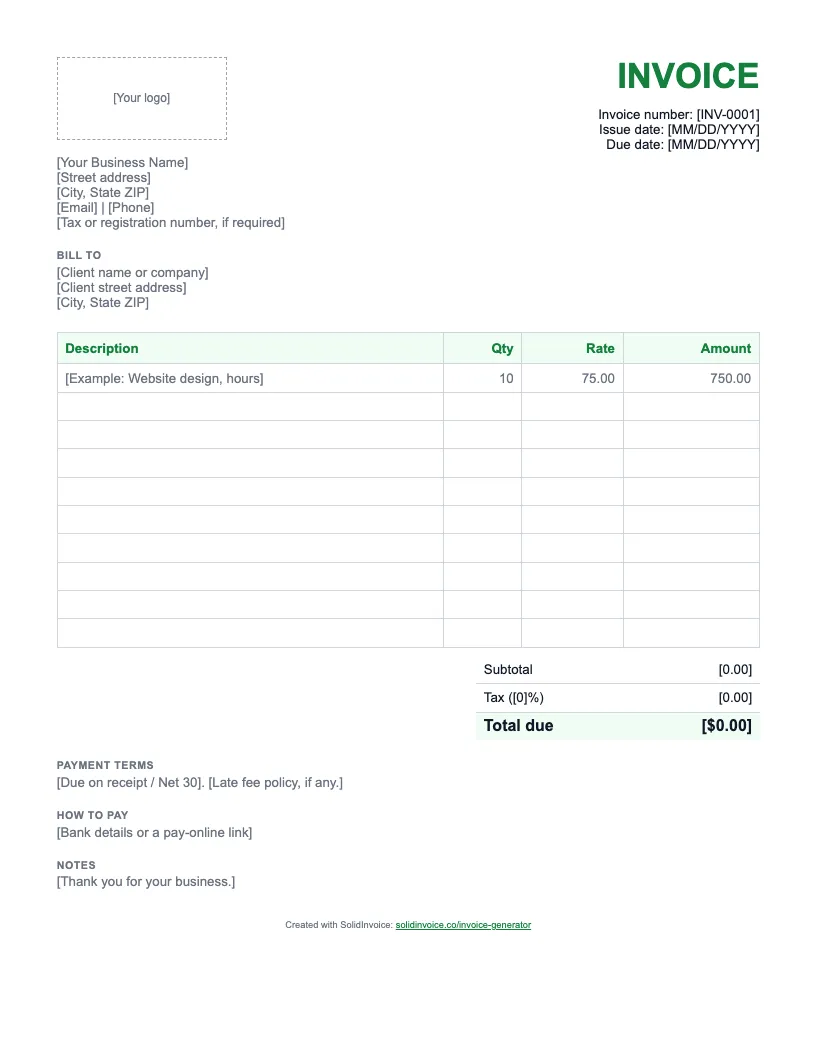
A clean .docx invoice with a logo space, your details, the client's details, a line-item table, totals, and payment terms. Ready to edit.
Download Word template (.docx)Free download, 38 KB. No signup needed.
Rather type it in your browser? Use the free invoice generator and download a finished PDF.
How to fill in a Word invoice
- 1
Open the file in Word
Download the .docx and open it in Microsoft Word. If Word opens it in Protected View, click Enable Editing at the top of the page.
- 2
Replace the logo placeholder
Click inside the dashed box that says [Your logo] and delete the text. Choose Insert > Pictures, pick your logo file, and drag a corner handle to fit it in the box.
- 3
Type over the bracketed text
Select each placeholder, such as [Your Business Name] or [Client name or company], and type your own details. Give the invoice a unique number and set the issue and due dates.
- 4
List the work line by line
Delete the example row, then add one service or product per row with its quantity and rate. Word tables don't calculate, so type each amount yourself. Press Tab in the last cell to add a row.
- 5
Fill in the totals and terms
Add up the amounts for the subtotal, apply your tax rate, and enter the total due. Replace the payment terms, how to pay, and notes placeholders.
- 6
Save a PDF and send it
Choose File > Save As and pick PDF as the format, then email the PDF to your client. Keep the .docx as your master copy for the next invoice.
Not sure what to write in the payment terms? Invoice payment terms explained covers due on receipt, net 30, and late fees.
Faster than a template
A Word template
You retype the client's details on every invoice, keep track of the numbers yourself, and email the file yourself. Then you wait for a bank transfer or a check.
The free invoice generator
Type the invoice in your browser and download a PDF with the totals worked out. Quick for a one-off, but nothing is saved for next time.
★ SolidInvoice
Keeps your clients, numbers every invoice for you, and adds a pay link for card and PayPal. Invoices mark themselves paid, and Pro and Business plans send payment reminders.
★ Stop retyping templates. Send invoices customers can pay online.
Start Free Trial14-day free trial. Cancel anytime during your trial and you won't be charged.
Compare plansWord invoice template FAQ
Is the Word invoice template free?
Yes. Download the .docx and use it for as many invoices as you like. There is no signup and we don't ask for your email address.
Will the Word template add up the totals for me?
No. Word tables don't calculate on their own, so you type each line amount, the subtotal, the tax, and the total. If you want the math done for you, use the Excel template or the free invoice generator.
Can I remove the "Created with SolidInvoice" line?
Yes. Double-click the footer at the bottom of the page and delete the line. The template works the same without it.
How should I number invoices made from this template?
Give every invoice a unique number in sequence, such as INV-0001, INV-0002, and so on. Keep a simple list of the numbers you have used so you never repeat one, because clients and accountants match payments by that number.
More invoice templates
Templates by type of work: plumbing, electrical, contractor, cleaning, landscaping, photography, freelance, consulting.