Google Docs Invoice Template
A clean invoice in Google Docs with a logo space, your details, the client's details, a line-item table, totals, and payment terms. Copy it to your Drive and edit.
Make a copy in Google DocsFree. Opens Google's copy page in a new tab and saves the copy to your Drive.
Rather type it in your browser? Use the free invoice generator and download a finished PDF.
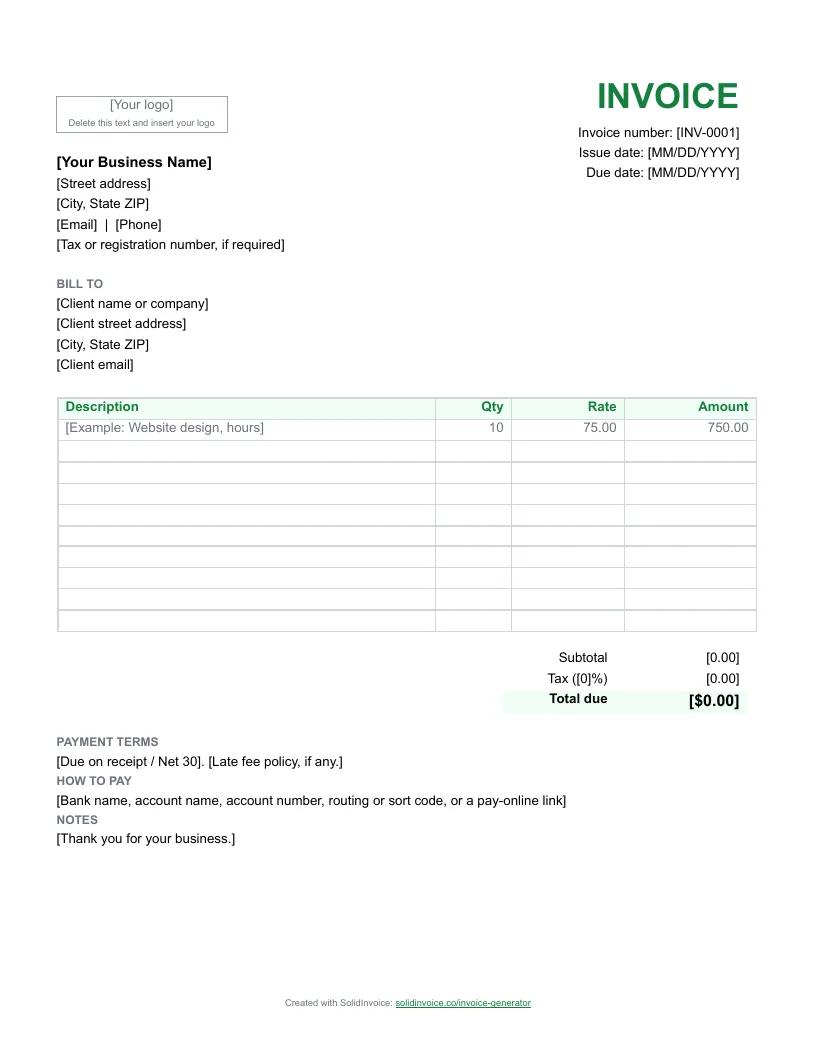
How to fill in a Google Docs invoice
- 1
Make your own copy
Click Make a copy in Google Docs. Google asks you to sign in if you aren't already, then saves a copy to your own Drive. The original stays untouched, so you can come back for a fresh one.
- 2
Add your logo
Click inside the box that says [Your logo] and delete the text. Choose Insert > Image > Upload from computer, pick your logo, and drag a corner to fit it in the box.
- 3
Replace the bracketed text
Select each placeholder, such as [Your Business Name], and type over it. Edit > Find and replace is quicker for text that repeats. Give the invoice a unique number and set the dates.
- 4
List the work line by line
Delete the example row and add one service or product per row. Google Docs tables don't calculate, so type each amount, then the subtotal, tax, and total. Right-click a row and choose Insert row below to add more.
- 5
Download a PDF and send it
Choose File > Download > PDF Document (.pdf) and email the PDF to your client, or use File > Email > Email this file to send it straight from Docs.
- 6
Keep a copy of every invoice
Before the next invoice, use File > Make a copy on your filled-in document. You keep a record of each invoice and only change the client, number, and lines.
Not sure what to write in the payment terms? Invoice payment terms explained covers due on receipt, net 30, and late fees.
Faster than a template
A Google Docs template
You retype the client's details on every invoice, keep track of the numbers yourself, and email the file yourself. Then you wait for a bank transfer or a check.
The free invoice generator
Type the invoice in your browser and download a PDF with the totals worked out. Quick for a one-off, but nothing is saved for next time.
★ SolidInvoice
Keeps your clients, numbers every invoice for you, and adds a pay link for card and PayPal. Invoices mark themselves paid, and Pro and Business plans send payment reminders.
★ Stop retyping templates. Send invoices customers can pay online.
Start Free Trial14-day free trial. Cancel anytime during your trial and you won't be charged.
Compare plansGoogle Docs invoice template FAQ
Do I need a Google account?
Yes, to make an editable copy. Google saves the copy to your own Drive, so only you can see it. Without a Google account, download the Word template instead.
Why do I have to make a copy?
The shared original is view-only, so it stays clean for everyone who uses it. Making a copy gives you your own editable version that you can reuse for every invoice.
Will the Google Docs template add up the totals?
No. Google Docs tables don't do math, so you type each amount and the totals yourself. If you want the line amounts, tax, and total calculated, use the Google Sheets template.
Is the Google Docs invoice template free?
Yes. Make as many copies as you like. There is no signup with us and no email address needed.
More invoice templates
Templates by type of work: plumbing, electrical, contractor, cleaning, landscaping, photography, freelance, consulting.