PDF Invoice Template
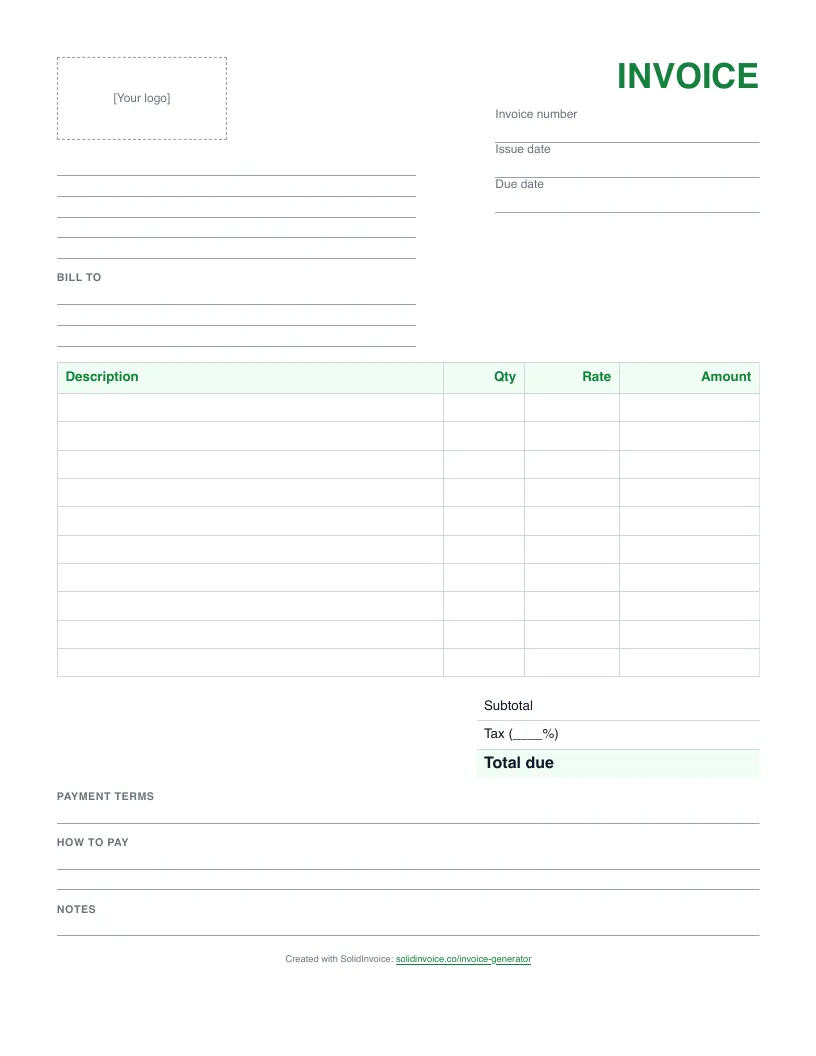
A blank, printable PDF invoice with ruled lines for your details, ten line items, totals, and payment terms. Ready to print and fill in by hand.
Download PDF templateFree download, 50 KB. No signup needed.
Rather type it in your browser? Use the free invoice generator and download a finished PDF.
How to fill in a PDF invoice
- 1
Print it at actual size
Open the PDF and print it at Actual size or 100%. The layout sits inside 15 mm margins, so it prints on US Letter or A4 paper without cutting anything off.
- 2
Add your business details
Write your business name, address, email, phone, and any tax number on the lines under the logo box. Stamp or stick your logo in the box, or leave it empty.
- 3
Number and date the invoice
Write a unique invoice number, the issue date, and the due date. Keep a list of numbers you have used, because a handwritten book is easy to skip or repeat in.
- 4
Fill in who you are billing
Write the client's name or company and their billing address under Bill To, the way they want it to appear on their records.
- 5
List the work and add it up
Write one item per row with the quantity, rate, and amount. Add the amounts for the subtotal, write your tax rate and the tax, and enter the total due.
- 6
Hand over a copy and keep one
Give the client the original, or photograph or scan it and email the image. Keep a copy for your own records and your tax return.
Not sure what to write in the payment terms? Invoice payment terms explained covers due on receipt, net 30, and late fees.
Faster than a template
A PDF template
You retype the client's details on every invoice, keep track of the numbers yourself, and email the file yourself. Then you wait for a bank transfer or a check.
The free invoice generator
Type the invoice in your browser and download a PDF with the totals worked out. Quick for a one-off, but nothing is saved for next time.
★ SolidInvoice
Keeps your clients, numbers every invoice for you, and adds a pay link for card and PayPal. Invoices mark themselves paid, and Pro and Business plans send payment reminders.
★ Stop retyping templates. Send invoices customers can pay online.
Start Free Trial14-day free trial. Cancel anytime during your trial and you won't be charged.
Compare plansPDF invoice template FAQ
Can I type into this PDF?
No. It is a blank form for printing, without fillable fields. To type an invoice and save it as a PDF, use the free invoice generator, which calculates the totals and downloads a finished PDF.
Will it print on A4 as well as Letter paper?
Yes. The page is US Letter with 15 mm margins, and everything on it fits inside both Letter and A4. Print at Actual size or 100% rather than Fit to page so the lines keep their spacing.
Is a handwritten invoice valid?
In most places, yes, as long as it shows what a typed invoice would: your details, the client's, a unique number, dates, the items, and the total. If you are registered for VAT or GST, check your local rules on what a tax invoice must show.
Is the PDF invoice template free?
Yes. Download and print as many copies as you need. There is no signup and no email address needed.
More invoice templates
Templates by type of work: plumbing, electrical, contractor, cleaning, landscaping, photography, freelance, consulting.