Viewing generated invoices
Each time the scheduler matches a recurring invoice's date, it creates a real invoice in your system. Those invoices behave exactly like any other invoice — you can send them, mark them paid, record payments, or refund — but SolidInvoice also keeps a back-link so you can find them from the recurring invoice they came from.
From the recurring invoice's view page
Open the recurring invoice. Once it has generated at least one invoice, a Generated Invoices card appears in the right-hand sidebar showing the most recent five, with each invoice's ID, total, and status.
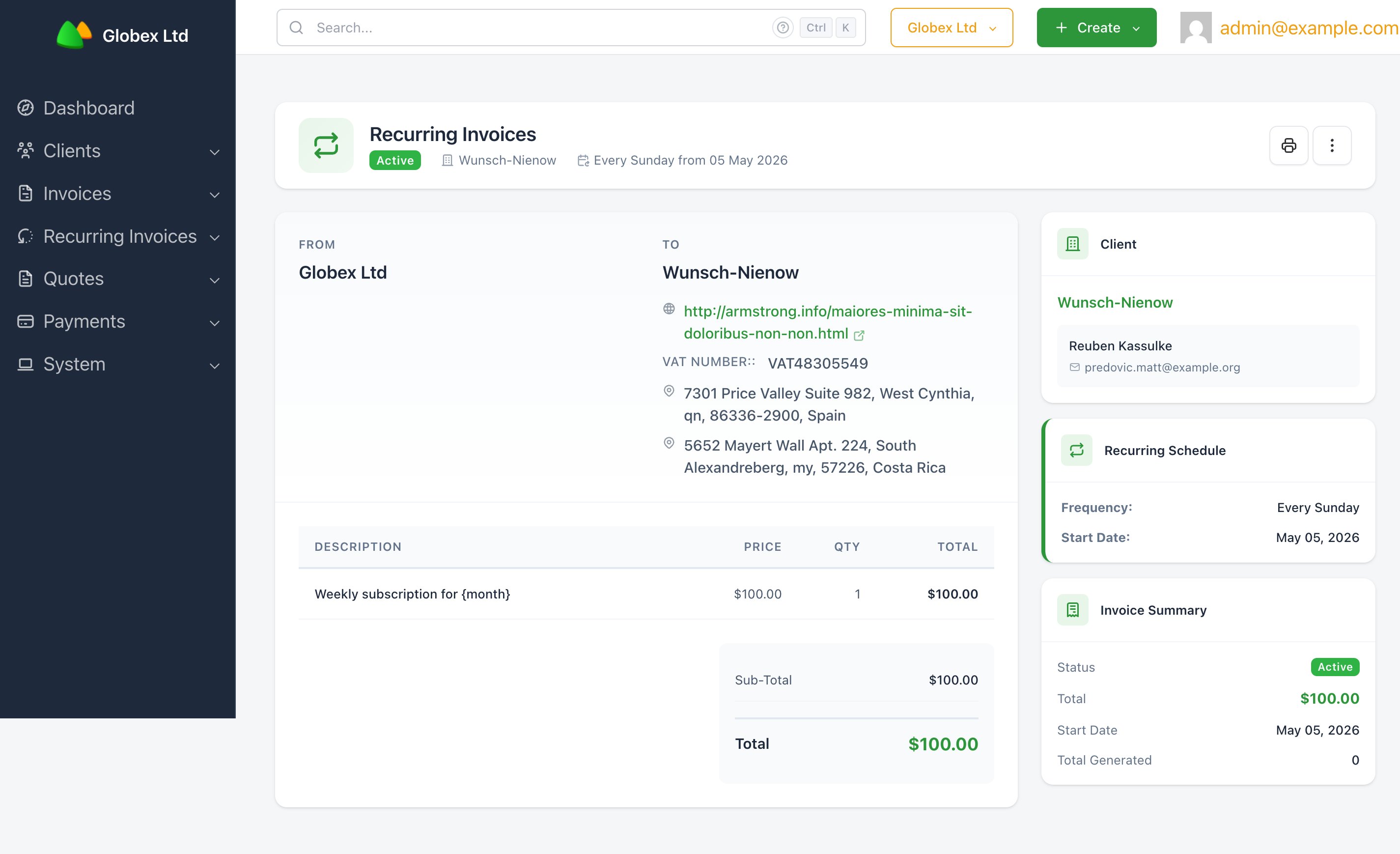
The Total Generated count at the bottom of the Invoice Summary card shows the running total of invoices this schedule has produced. Each entry in the Generated Invoices card is a link straight to that invoice's view page.
When more than five invoices have been generated, a View all <n> invoices link appears below the list. It opens the regular invoice list filtered to invoices from this recurring invoice only — useful for bulk operations, exports, or just seeing the full history.
Working with generated invoices
A generated invoice is a normal SolidInvoice invoice. Once it exists you can:
- Send it to the client (manual send, or rely on whatever automatic send policy your install is configured with).
- Record payments against it.
- Apply discounts or credits.
- Reopen, cancel, or archive it independently of the recurring invoice it came from.
Cancelling, pausing, or archiving the recurring invoice does not affect already-generated invoices — they keep their own state and lifecycle.
Finding all recurring invoices
The Recurring Invoices list page (sidebar → Recurring Invoices → List Recurring Invoices) shows every recurring invoice grouped by tab:
Active—Active,Draft, andPausedrecurring invoices.Completed— recurring invoices that reached their end condition naturally.Archived— recurring invoices you've archived.
The four stat cards at the top of the page summarise activity at a glance: Active Recurring, Upcoming in 7 Days, Status Breakdown (active / draft / paused counts), and Total Generated (across all recurring invoices).
The grid columns — Client, Frequency, Date Start, End Date, Next Run Date, Status, Total, Tax, Discount — are sortable by clicking the header. Use the Filters and Search controls above the grid to narrow the list.