Deleting a company
danger
Deleting a company permanently removes it and all its data: clients, contacts, quotes, invoices, payments, settings, and templates. There is no undo.
Before you delete
You can only delete the company that's currently active. If the one you want to remove is not the active company, switch to it first.
Steps
- Go to
Settingsfrom the sidebar. - Scroll to the bottom of the page to the Danger Zone panel.
- Click
Delete Company. A confirmation modal opens. - Type the company name exactly as shown into the
Company Nameinput. The destructive button stays disabled until the typed name matches. - Click
Delete Companyin the modal.
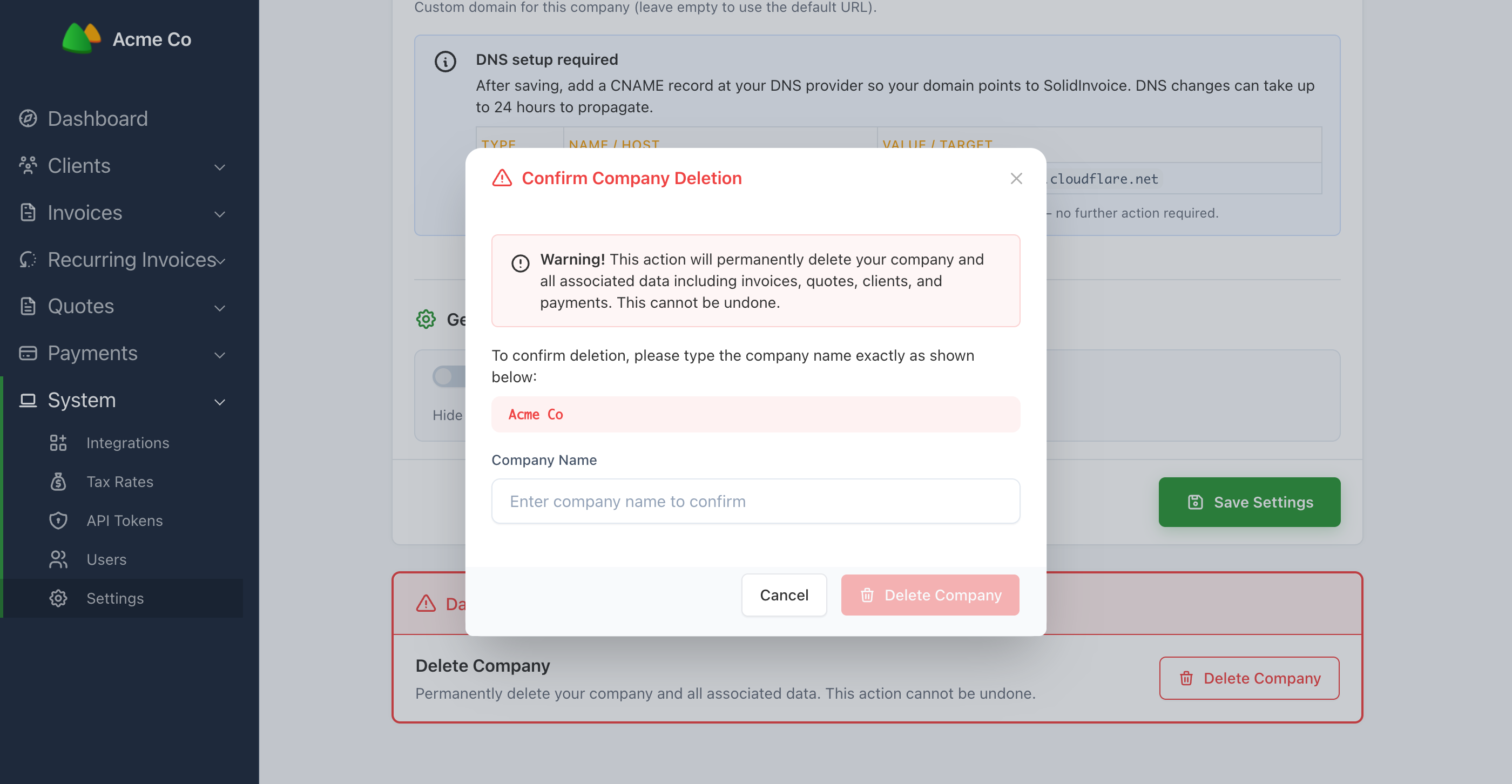
After a successful delete, you're returned to the company picker — or, if you've just deleted your only company, to the create-company form.
Was this page helpful?